
jQuer.in

The Toolbox

Animation, Bookmarklets, Colors, CSS, Date & Time, Editors, Grids, Icons, Images, Javascript, Lorem Ipsum, Markup, Math, Misc, Patterns, Photoshop, Reference, Regular Expressions, Responsive Design, Search, Sprites, Starter Kits, Typography, Unicode, Web Performance.
A Book Apart

Web design is about multi-disciplinary mastery and laser focus, and that’s the thinking behind our brief books for people who make websites. We cover the emerging and essential topics in web design and development with style, clarity, and, above all, brevity—because working designer-developers can’t afford to waste time.
A Book Apart publishes highly detailed and meticulously edited examinations of single topics. We produce brief books of about 100 pages—the perfect size in terms of subject depth and coverage for topics like HTML5, CSS3, content strategy, responsive web design, and more.
The goal of every title in our catalog is to shed clear light on a tricky subject, and do it fast, so you can get back to work. Thank you for supporting our mission to provide professionals with the tools they need to move the web forward. Let us know what you think about our books.
The Responsinator

Responsive Plugin

responsivepx

Enter the url to your site - local or online: both work - and use the controls to adjust the width and height of your viewport to find exact breakpoint widths in pixels. Then use that information in your media queries to create a responsive design.
Media Queries

What is Media Queries?
Media Queries is a W3C Candidate Recommendation—a widely reviewed document which is ready for implementation by browser vendors.
It's an extension of media dependent stylesheets tailored for different media types (i.e. screen and print) found in CSS2.
In its essence a media query consists of a media type and an expression to check for certain conditions of a particular media feature. The most commonly used media feature is width.
By restricting CSS rules to a certain width of the device displaying a web page, one can tailor the page's representation to devices (i.e. smartphones, tablets, netbooks, and desktops) with varying screen resolution.
What is Responsive Web Design?
The term Responsive Web Design was coined by Ethan Marcotte and is the practice of using fluid grids, flexible images, and media queries to progressively enhance a web page for different viewing contexts.
What screen resolutions do you use while taking screenshots?
Smartphone
320px
Tablet
768px
Netbook
1024px
Desktop
1600px
Responsive News

HTML5 Please
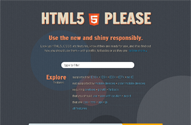
Look up HTML5, CSS3, etc features, know if they are ready for use, and if so find out how you should use them – with polyfills, fallbacks or as they are.
Gridpak

Golden Grid System

ResponsiveSlides.js

Biggest difference to other responsive slideshow plugins is the file size (~1kb minified and gzipped) + that this one doesn't try to do everything. ResponsiveSlides.js has basically only two different modes: Either it just automatically fades the images, or operates as a responsive image container with pagination to navigate/fade between slides.
VPlist! - Video Playlist

Responsive Bot

twee+

Longer tweets, no strings attached
As some people that have been following me for a while know, the 140 character limit on twitter bugs me a lot sometimes, and I’ve tried to find a way to overcome it previously as well. The most common ways these days seems to be either cutting down the long tweet into multiple pieces (yuck) or using a service to host the longer tweet and post a summary with a link to it.
The latter isn’t an entirely horrible option. However, I see 3 big downsides:
- I’m not very comfortable with the idea of some external service hosting my content which could close down any time due to failure to monetize their website. In that case, I’d be left with some dead links that are of no value and my content would be lost forever. Yes, they usually warn you in advance in such cases, but such news could be missed for a number of reasons.
- People (including yours truly) don’t plan those things in advance. They just seek services like that at the exact moment when they want to post a long tweet. Being greeted with a prompt to use Twitter Connect is NOT nice. For starters, it slows me down. Also, I don’t want to give permission to every website on the effing interwebs to post on my twitter timeline. I owe it to my followers to be responsible and not risk filling their timelines with crap.
- Most of these websites look like someone puked and what came out happened to be HTML and CSS. The only exception I’ve found is twtmore, but it still suffers from #1 and #2.
So, like every developer with a healthy amount of NIH syndrome, I decided to write my own
My goals were:
- It had to be entirely client-side (except initially getting downloaded from the server of course). This way, whoever is concerned can download the full website and decode their tweets with it if it ever goes down. Also, being entirely client side allows it to scale very easily, as serving files is not a very resource intensive job (compared to databases and the like).
- No Twitter Connect, the tweets would get posted through Twitter Web Intents.
- It had to look good. I’m not primarily a designer, so I can’t make something that looks jaw-droppingly amazing, but I can at least make it look very decent.
- If I was gonna go through all the hassle of making this, I may as well try to keep it under 10K, so that I could take part in the 10K apart contest. (I haven’t submitted it yet, I’ll submit a few days before the deadline, as it seems you can’t make changes to your submission and I want to polish the code a bit, especially the JS — I’m not too proud about it)
I managed to succeed in all my goals and I really liked the result. I ended up using it for stuff I never imagined, like checking if a twitter username corresponds to the account I think (as it shows the avatars). So I went ahead and came up with a name, bought a domain for it, and tweeplus.blogspot.com was born
twee+? Seriously?
Yes, I like it. The plus means “more”, which is fitting and + kinda looks like a t, so it could be read as “tweet” as well. Yes, I know that the word “twee” has some negative connotations, but oh well, I still like the name. Whoever doesn’t can just not use it, I won’t get depressed, I promise.
Geeky stuff
How it works
- A relatively new feature, Twitter automatically wraps URLs in t.co links, making them only 20 characters long.
- All the text of the tweet is stored in the URL hash (query string will also work, although the output uses a hash). Some research revealed that actually browsers can handle surprisingly long URLs. Essentially, the only limit (2083 characters) is enforced by Internet Explorer. I decided to limit tweets to 2000 characters (encoded length), not only because of the IE limit, but also because I wouldn’t like people to post whole books in t.co links. We don’t want Twitter to start taking measures against this, do we?
- A hard part was deciding which encoding to use (twitter is quite limited in the characters it parses as part of a URL).
- My first thought was base64, but I quickly realized this was not a very good idea:
- The encoding & decoding functions (
btoa()andatob()respectively) are relatively new and therefore not supported by older browsers. I’m fine with the app hardly working in old browsers, but existing links must as a minimum be readable. - It uses approximately 1.34 characters per ASCII character. Unicode characters need to be URL-encoded first, otherwise an Exception is thrown. URL-encoding them uses 6 characters, which would result in 8 characters when they’re base64 encoded.
- The encoding & decoding functions (
- Then I thought of using URL-encoding for the whole thing. The good thing with it is that for latin alphanumeric characters (which are the most) it doesn’t increase the string length at all. For non-alphanumeric characters it takes up 3 characters and 6 characters for Unicode ones. Also, it’s much more readable.
- Still, implementing it was tricky. It doesn’t encode some characters (like the dot), even though twitter doesn’t accept them as part of a URL. Also, escape() and encodeURI() behave differently and the Unicode encoding returned by the former isn’t accepted by Twitter. So I had to combine the two and do some substitutions manually.
- My first thought was base64, but I quickly realized this was not a very good idea:
- When the textarea changes, the hash does too. The whole thing is a form with action=”http://twitter.com/intent/tweet”, so submitting it does the right thing naturally. I keep a hidden input with the tweet and the textarea has no name, so it doesn’t get submitted.
- Usernames, hashtags and URLs get extracted and linkified. Usernames also get an avatar (it’s dead easy: Just use twitter.com/api/users/profile_image?screen_name={username} where {username} is the user’s username)
- Internal “pages” (like “About” or “Browser support”) are essentially long “tweets” too.
- A little easter egg is that if the browser supports radial gradients, the gradient follows the mouse, creating a spotlight effect. This looks nice on Chrome and Firefox, and really shitty on IE10, probably due to bugs in the gradient implementation (which I have to reduce & report sometime).
Buzzword compliance
This little app demonstrates quite a lot new open web technologies (HTML5, CSS3 etc), such as:- textarea maxlength
- placeholder
- autofocus (edit: I had to remove it cause it triggered a Webkit bug in Safari)
- required inputs
- New input types (url)
- History API
- oninput event (with keyup fallback)
- hashchange event
- SVG
- Common CSS3 (border-radius, shadows, transitions, rgba, media queries)
- CSS3 gradients
- CSS3 animations
- CSS3 resize
- :empty
Let me know if I forgot something.
Oh yeah, I did forget something. There it is: TWEE+Source
Sounds Likes
Colourrrs

Colourrrs allows you to explore Dribbble through random colour selection.
DropCSS

S - C - H - D

Eight Viewer


Hello Everyone!!!
Welcome To assadotcom.blogspot.com. Thanks For Your Visit. assadotcom.blogspot.com is The Ultimate All In One Homepage And Web Information, Offering an Innovative Visual Exploration Of The Internet.
Regard,
assadotcom
assadotcom Philosophy

Someone is a Doctor, Someone is a Teacher, Someone is an Engineer, Someone is a Mentor, Someone is a Cracker, Someone is a Hacker, AND I AM AN assadotcom. Just Patch It "N Enjoy!!!


