
The W3C validation icons

How to use the Validation Icons
The W3C "valid" icons may be used on documents that successfully passed validation for a specific technology, using the W3C validation services. The image should be used as a link to re-validate the document. Read the Markup Validator's documentation on icons usage for more information on policies around these icons.
List of all W3C Validation Icons
The W3C Validation icons are all available in PNG, GIF, SVG and EPS. To link to a specific version directly, add .png, .gif, -v.svg or -v.eps to the generic URI (or browse the icons repository to see all versions).
Awwwards: 2011 Book

The Acid3 Test

Acid3 Browser Test
Acid3 is the third in a series of test pages written to help browser vendors ensure proper support for web standards in their products.
Acid3 is primarily testing specifications for “Web 2.0″ dynamic Web applications. Also there are some visual rendering tests, including webfonts. Here is the list of specifications tested:
- DOM2 Core
- DOM2 Events
- DOM2 HTML
- DOM2 Range
- DOM2 Style (getComputedStyle, …)
- DOM2 Traversal (NodeIterator, TreeWalker)
- DOM2 Views (defaultView)
- ECMAScript
- HTML4 (<object>, <iframe>, …)
- HTTP (Content-Type, 404, …)
- Media Queries
- Selectors (:lang, :nth-child(), combinators, dynamic changes, …)
- XHTML 1.0
- CSS2 (@font-face)
- CSS2.1 (‘inline-block’, ‘pre-wrap’, parsing…)
- CSS3 Color (rgba(), hsla(), …)
- CSS3 UI (‘cursor’)
- data: URIs
- SVG (SVG Animation, SVG Fonts, …)
HTML Lint

HTML Compressor

Fuel Your Coding

Fuel Your Coding is dedicated to bringing you the tools necessary to “fuel” your passion for web coding and development.
Fuel Brand Network
Tutorial Lounge

Tutorial Lounge [Learn Step by Step] is a Tutorial Blog site made to house and showcase some of the best tutorials around most famous designing and development tools are Photoshop, Fireworks, Flash, Dreamweaver, InDesign, After Effect, 3D Max, Maya, Illustrator, Vector, Video Tutorials, Corel Draw, Audio Tutorials, Flex, jQuery, ajax, PHP, JavaScript, ASP, HTML, xHTML, CSS, Typography, Print Media and wallpapers.
jQuery List

jQuery Ajax tutorials to jQuery UI examples, the ultimate list of tutorials and plugins for jQuery!
jQuery Fundamentals
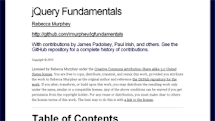
Licensed by Rebecca Murphey under the Creative Commons Attribution-Share Alike 3.0 United States license. You are free to copy, distribute, transmit, and remix this work, provided you attribute the work to Rebecca Murphey as the original author and reference the GitHub repository for the work. If you alter, transform, or build upon this work, you may distribute the resulting work only under the same, similar or a compatible license. Any of the above conditions can be waived if you get permission from the copyright holder. For any reuse or distribution, you must make clear to others the license terms of this work. The best way to do this is with a link to the license.


Hello Everyone!!!
Welcome To assadotcom.blogspot.com. Thanks For Your Visit. assadotcom.blogspot.com is The Ultimate All In One Homepage And Web Information, Offering an Innovative Visual Exploration Of The Internet.
Regard,
assadotcom
assadotcom Philosophy

Someone is a Doctor, Someone is a Teacher, Someone is an Engineer, Someone is a Mentor, Someone is a Cracker, Someone is a Hacker, AND I AM AN assadotcom. Just Patch It "N Enjoy!!!


